Restaurant Waitlists in Korea: From Joining the Queue to Getting Seated
How restaurant waitlists work in Korea: join a remote or on-site queue, track your spot, return when called, and cancel cleanly if plans change.

You've found the restaurant. There's a small crowd near the door, a tablet on a stand, and maybe a sign in Korean. Do you line up, scan something, or give up? This guide covers the same-day part: getting into the queue, waiting well, and actually sitting down. For creating accounts, booking ahead and deposits, see our guide to Korean restaurant reservations without a Korean phone number.
Which situation are you in?
| What you have or see | What it usually is | What to do |
|---|---|---|
| A time slot you booked earlier | Reservation | Show your booking and check in with staff |
| A waitlist option on the restaurant's app listing | Remote queue | Join from your phone, then stay reasonably close |
| A tablet or staff list at the entrance | On-site queue | Register there, in person |
| Open tables, no queue | Walk-in | Ask staff for a table |
Many busy places combine these, so when in doubt, ask.
The Korea Tourism Organization's English overview of dining apps explains that participating restaurants may offer remote waiting, on-site waiting, or both, and that some accept on-site entries only. It also describes waitlists as deposit-free, unlike reservations that may ask for a deposit. That describes the system it covers; it doesn't mean every queue at every restaurant in Korea works the same way.
1. Pick the exact branch and the right line
Well-known restaurants often have several branches with similar names. Before joining, check that the neighborhood or station name on the listing matches where you are, or where you're heading. Our comparison of Google Maps, Naver Map and KakaoMap can help you confirm the location.
Then check which line you're joining. Some listings split queues by purpose. For example, on October 20, 2026, Artist Bakery Anguk’s public listing showed separate options for eating in the shop, takeout, and terrace seating, plus a remote waitlist button. Joining the takeout line when you want a table, or the other way around, can cost you the whole wait.
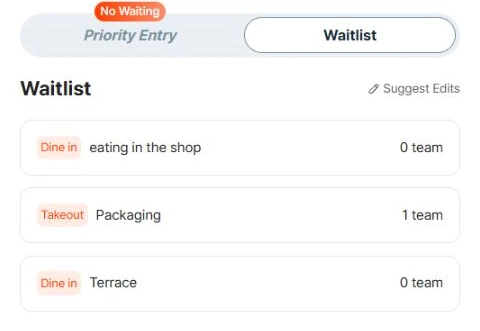
Dine-in, takeout and terrace are separate options in this captured listing. Queue counts change constantly; they are not a forecast for your visit.
Enter your real party size, including children as the form instructs. If you're not sure whether a larger group can sit together or how kids are counted, ask staff before you register.
2. Register, and make sure it worked
Scanning a QR code only opens a page. You're not in line until you finish entering your details and see a confirmation or queue number.
- Remote: On CATCHTABLE's web listings, you check the waitlist status on the restaurant's page, choose "Join remote waitlist," fill in your details and join.
- On-site: At some participating restaurants, you scan the QR code shown on the entrance tablet, choose your language, enter your details and join. Not every tablet in Korea offers this; some are Korean-only or expect a local number.
No Korean phone number? According to its Google Play listing, the CATCHTABLE Global app doesn't require one and sends confirmations by email and in the app. If a restaurant's system still won't take you, ask staff whether they can add you another way. Never type in a stranger's number or borrow one from someone in line: the call goes to them, not you.
Take a screenshot of your confirmation.
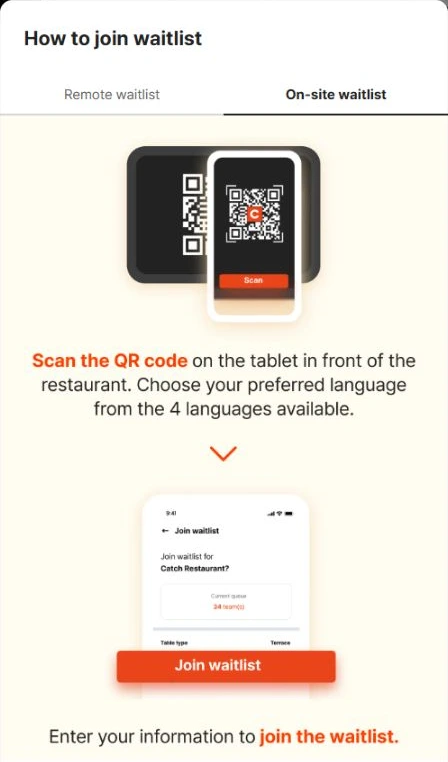
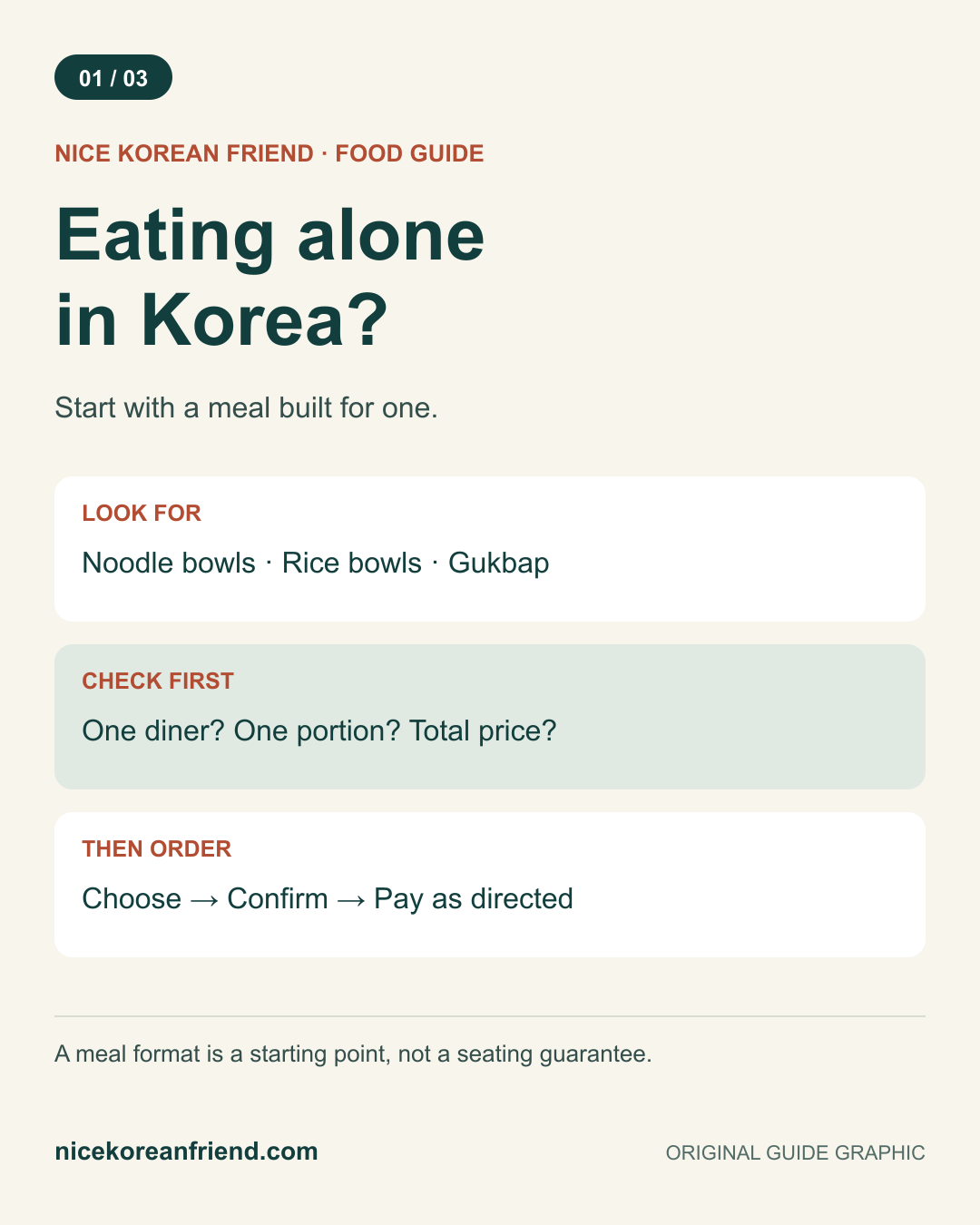
The operator’s English on-site guide, captured October 20, 2026. Scan the code on the tablet at the actual restaurant; this example image is only an explanation.
3. Watch the queue, not the clock
The same Play listing says your reservations and waitlists are tracked in My Dining, so keep that screen handy while you wait.
- Keep your phone charged; a power bank helps.
- Allow notifications and keep an eye on your email. CATCHTABLE's web guide says remote waiters get an email when their table is almost ready.
- Make sure you have data or Wi-Fi.
The number of groups ahead of you is not a number of minutes. Tables turn over at different speeds, a larger party may need a specific table, and groups ahead can leave or be passed over. Treat any estimate as rough.
4. When you're called, go back right away
Follow exactly what the notification or staff tell you. There's no universal grace period: some places hold your spot briefly, others move on quickly. If you want to step away, ask staff first how long they'll hold your turn.
Make sure your whole group is ready. Ask whether everyone must be present before the restaurant seats you. Once you're seated, our guide to ordering at a Korean restaurant takes it from there.
5. If you miss your call
Go to the entrance and show staff your confirmation. Check the app too, and use whatever options it actually shows. Some restaurants may add you back; others will ask you to join again. Don't count on getting your old position back.
6. Cancel if you're leaving
Changed your mind? Cancel your entry in the app or tell staff. It lets staff know you no longer need a place in the queue. Cancelling a waitlist entry is separate from cancelling a reservation you booked in advance; deposit and refund rules belong to the reservation, and our booking guide covers those.
"Closed" doesn't always mean the restaurant is closed
A closed waitlist is a status for that queue, not confirmation of the restaurant’s opening hours. Check whether online entries are paused or finished, and ask whether on-site registration is available. Do not assume a different queue will be open.
A kitchen break, last order and the queue cutoff are three different things. Check the posted hours, then confirm with staff if timing is tight.
Useful Korean phrases
| Korean | Romanization | English |
|---|---|---|
| 웨이팅 등록할 수 있나요? | weiting deungnok-hal su innayo? | Can we join the waitlist? |
| 두 명이에요. | du myeong-ieyo. | We are two people. |
| 한국 전화번호가 없어요. | hanguk jeonhwa-beonho-ga eopseoyo. | I don't have a Korean phone number. |
| 어떻게 연락 주시나요? | eotteoke yeollak jusinayo? | How will you notify us? |
| 저희 번호가 호출됐어요. | jeohui beonho-ga hochul-dwaesseoyo. | Our number was called. |
| 웨이팅 취소해 주세요. | weiting chwiso-hae juseyo. | Please cancel our waitlist entry. |
Showing the phrase on your screen works just as well as saying it.
Frequently asked questions
›Do I need a Korean phone number to join a restaurant waitlist in Korea?
Not always. The CATCHTABLE Global app says on its Google Play listing that it doesn't require a Korean number and sends confirmations by email and in the app. Some restaurant tablets still expect a local number, so ask staff if registration won't go through.
›Is scanning the QR code on the tablet enough to get in line?
No. Scanning only opens the registration page. You're in the queue once you've entered your details and see a confirmation or queue number.
›How long will I wait if there are 10 groups ahead of me?
There's no reliable way to convert groups into minutes. Table turnover, party sizes and table types all vary, so treat any count or estimate as rough and stay close enough to return quickly.
›The listing says the waitlist is closed. Is the restaurant closed?
Not necessarily. A closed waitlist describes that queue, not the restaurant’s opening hours. Check opening hours, any kitchen break and last order separately, and ask staff whether another registration option is available.