Lost Something in Korea? How to Find Your Phone, Wallet or Bag
Lost a phone, wallet or bag in Korea? What to do first, who to contact, how to use the police found-item search, and Korean phrases that help.

Losing a phone, wallet or bag abroad is stressful, especially when you can't read the signs. Korea has clear places to turn, though. Here's what to do first, who to contact, and what to bring when you collect something. Start with the place where you last had it, while taking steps to protect anything sensitive.
First, three calm moves
1. Protect your phone and cards. If your phone is missing, use its lost-device tools if available. If payment cards are missing, freeze them if your issuer offers that option and report the loss through its official channel. Searching for an item doesn't stop anyone using it.
2. Write down where you last had it. Note the place, the time, and how you arrived and left: subway line and station, bus route number, taxi ride, café name.
3. Contact whoever looks after that place. Staff or the transport operator are often the first to receive left-behind items, so start with them.
Who to contact first
| Where you lost it | Contact first | Tell them |
|---|---|---|
| Restaurant, café, shop or hotel | Staff at that exact branch | When you were there, your table or room, what it looks like |
| Subway | Station staff or the line's operator | Line, direction, station where you got off, time, car number if known |
| City bus | The bus operator | Route number, direction, stops, time |
| Taxi | The support channel in your taxi app or payment record, if available | Ride time, plate number, payment details |
| Airport terminal | That terminal's lost-and-found | Terminal, area, time |
| On the plane | Your airline | Flight, date, seat |
| Airport bus or train | That service's operator | Route, time, seat or car |
Check your taxi app's ride history or card receipt before calling anyone—it's often your best clue. Our taxi apps guide and Seoul subway guide explain how those systems work.
At Incheon Airport
Contact the lost-and-found office for the terminal you were in. Terminal 1: +82-32-741-3110 or 3114, lostnfound@biz.airport.kr. Terminal 2: +82-32-741-8988 or 8989, lostnfound2@biz.airport.kr. Both list hours of 07:00–21:30, year-round (official page). Email even if the search portal shows nothing, as not every item may appear there. Confirm the item by phone or email before travelling. Pickup in person requires the owner's ID and reference number; ask the office about proxy pickup or delivery, which have strict conditions.
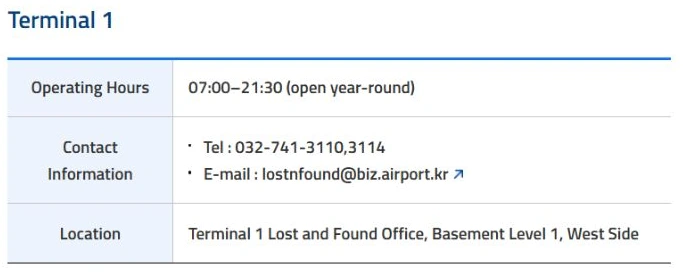
Terminal 1 contact details on the airport’s English page, captured October 21, 2026. Use the separate Terminal 2 contact if that is where you lost the item.
The police portal: searching vs reporting
You may know Korea's police lost-and-found system as LOST112. Today, use Police Civil Service24—the Seoul government's July 2026 notice calls it Police Civil Service24 (LOST112). Older LOST112 links still circulate and some may not load, so start from the current portal.
It does two different things:
- Found-item search, 습득물 검색 (seupdeungmul geomsaek): browse items others have handed in.
- Lost-item report, 분실물 신고 (bunsilmul singo): register that something of yours is missing.
Searching doesn't file a report. The police report guide says you can report online or in person at a nearby police station or police box, with no fee listed, and lists an English report form. Keep your receipt or reference number and ask how you'll be contacted. The guide covers lost property, not theft: if you think something was stolen, tell the officer.
Call 112 only for emergencies like a crime in progress or immediate danger—it isn't a property search desk. Official South Korea travel advice lists 112 for police emergencies.
Using the found-item search
At the time of writing, the found-item search opened without a login. You can filter by category, item name, region, where it was found (subway, taxi, bus and so on) and a date range. The date is when the item was found, not lost, so start with your loss date through today. Widen the date range and check again as more time passes. Results can show the holding place, 보관장소 (bogwan jangso), and a reference number, 관리번호 (gwalli beonho). You can also search by serial number or IMEI.
No result? Broaden the type, dates or region and check again later, since registration can lag. There's an English language option, but much of the page may stay in Korean. If login, identity checks or language block you, ask a Korean-speaking friend, your hotel front desk or the nearest police box for help.
What to note before you search or report
- Item type, brand, colour and model
- Photos, if you have any (even old social media posts)
- When and where you last had it
- One distinguishing detail: a sticker, scratch, case or keyring
- Serial number or IMEI, kept private for official staff only
- A contact that works without your missing phone: a companion’s number or hotel contact with their permission, or an email you can access elsewhere
Never post passport, card or IMEI numbers publicly when asking for help online.
Phone, wallet or passport
iPhone. If Find My was set up before the loss, use another trusted Apple device or icloud.com/find and mark the phone as lost if that option appears (Apple's guide). Tracking isn't guaranteed. Never share your passcode or verification codes—Apple says it won't contact you to report your device was found.
Android. Google's Find Hub may let you locate, lock or mark the phone as lost, depending on your device, account, settings and network. For either type of phone, ask your carrier about suspending the missing SIM or eSIM.
If a map shows your phone’s location, don't go after whoever has it. Pass the information to police or the venue.
Cards. Freeze the card or report it lost through your issuer's official app or helpline straight away. As Visa advises, your issuer is the one to contact.
Passport. Contact your country's embassy or consulate in Korea promptly. Mention your next flight, and ask about a replacement or emergency travel document and whether you need a police report. If the passport turns up later, check with the issuing country before using it—the US State Department, for example, says a reported US passport can't be used for travel even if found.
Before you go to collect it
Contact the holding place to confirm they have your item and when you can come. Ask what to bring, such as ID and the reference number. If your ID was lost too, ask which alternatives they accept before you travel. Don't assume a friend can collect it or that it can be posted—ask first.
Five Korean phrases that help
- 지갑을 잃어버렸어요. (Jigabeul ireobeoryeosseoyo.) I lost my wallet.
- 택시에 가방을 두고 내렸어요. (Taeksie gabangeul dugo naeryeosseoyo.) I left my bag in a taxi.
- 혹시 휴대폰 맡겨진 거 있나요? (Hoksi hyudaepon matgyeojin geo innayo?) Has anyone handed in a phone?
- 물건은 어디에 보관되어 있나요? (Mulgeoneun eodie bogwandoeeo innayo?) Where is the item being kept?
- 찾으러 갈 때 어떤 신분증을 가져가야 하나요? (Chajeureo gal ttae eotteon sinbunjeungeul gajyeogaya hanayo?) What ID should I bring to collect it?
Frequently asked questions
›Is LOST112 still the website to use?
Many people still call Korea's police lost-and-found system LOST112. The current official portal is Police Civil Service24 at minwon24.police.go.kr, which the Seoul government describes as Police Civil Service24 (LOST112). Start there rather than from old bookmarks or older guides.
›If I search the found-item list, have I reported my loss?
No. Searching only shows items other people have handed in. Reporting your own lost item is a separate step, which you can do online or in person at a nearby police station or police box. Keep the receipt or reference number you're given.
›Should I call 112 about a lost bag?
Only call 112 for emergencies, such as a crime in progress or immediate danger. For lost items, use the police portal or visit a police station or police box. If you think your item was stolen rather than lost, tell the officer that directly.
›Can I file a report online in English without a Korean phone number?
That isn't guaranteed. The portal has an English language option, but parts of it may stay in Korean, and online steps may need a login or identity check. If you get stuck, ask your hotel front desk or a Korean-speaking friend, or go to the nearest police box in person.